Game consoles are fun, but the cords, controllers, and game cases can make even a cute living room feel chaotic fast.
Cube Shelf Grid For One Console Per Cubby

The most foolproof system I’ve used is cube shelving—one console per cubby, with a second cubby for controllers and chargers. It made my multi-console situation feel oddly calm because everything had a clear home.
You might like:
- 9-Cube Storage Organizer: Create a unified home for every console with this versatile shelving unit that keeps your gaming setup organized.
- Woven Storage Baskets: Hide cables, chargers, and extra controllers quickly by sliding these textured baskets into your cube shelving grid.
- Controller Stand Mount: Display your favorite controllers neatly within the cubes instead of letting them clutter up your shelf space.

Under-TV Cabinet With Doors

In my 450 sq ft apartment, an under-TV cabinet with doors was the quickest way to hide the visual clutter while keeping consoles right where I use them. I always leave a little breathing space behind the consoles for airflow and stash the messy stuff (extra cords, batteries, old remotes) in a lidded bin inside.
Try these:
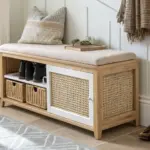
- Rattan Media Console Cabinet: Upgrade your living room with a rattan-style media console that neatly conceals your gaming setup and clutter.
- Woven Storage Baskets for Shelves: Organize cables and controllers efficiently by placing these textured woven baskets directly onto your cabinet shelves.
- Cable Management Box Set: Keep cords untangled and hidden inside your cabinet using these streamlined boxes for a cleaner looking space.


Open Entertainment Shelves

When I want my setup to look intentional instead of crammed, I use open shelving so each console gets its own “parking spot.” I keep it from looking busy by grouping accessories in matching boxes and letting one or two decor pieces break up the tech.
Possibly helpful picks:
- Woven Storage Baskets: Organize controllers and cables neatly in these natural bins to reduce visual clutter on open shelves.
- Minimalist Ceramic Vases: Soften the look of rigid tech hardware by adding simple, matte ceramic vases as decorative accents.
- Oak Wood TV Console: Upgrade your gaming setup with an open-shelf media unit that provides proper ventilation and dedicated compartments.
Floating Shelves Around the TV

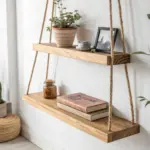
In a narrow living room, I mounted floating shelves beside the TV to get consoles off furniture surfaces and free up floor space. I learned to measure twice for depth so the console sits fully supported and doesn’t look like it’s perched on the edge.
Possibly handy products:
- Deep Floating Wall Shelf: Choose a deep, sturdy floating shelf to fully support your console without overhang or instability.
- Woven Storage Baskets: Use these textured baskets under your shelf to hide controllers and cables while adding style.
- Cable Management Sleeve Kit: Keep that floating look clean by bundling dangling power and HDMI cords into one sleek sleeve.
Low Drawer Unit For Controllers and Cords

I love using a low drawer unit under the TV for controller storage and all the weird little adapters that never have a home. I label each drawer by console and it saves me from that “where is the right cable?” spiral every single time.
Consider these options:
- Modern TV Stand with Storage Drawers: Upgrade your entertainment center with a sleek unit featuring deep drawers for organizing all your gaming accessories.
- Wooden Game Controller Stand: Keep your favorite controllers or portable consoles proudly displayed and easily accessible on your media cabinet surface.
- Cable Management Ties and Clips: Keep those adapters and cords inside the drawer neatly coiled and tangle-free with simple reusable organizers.
Vertical Console Stacking Shelf

When my media area got tight, I switched to vertical storage using a narrow shelf so consoles stack safely with space between them. It instantly made my setup look more streamlined, and it stopped me from piling controllers on top like a bad habit.
Check if these fit your needs:
- Narrow Vertical Open Media Tower: Maximize your floor space by stacking consoles vertically with this sleek, open-design shelving unit solution.
- Wooden 4-Tier Audio Rack: Organize your gaming setup elegantly with a sturdy wooden rack designed to hold multiple devices securely.
- Slim Console Storage Stand: Keep your gaming area clutter-free using a slim stand that fits perfectly into tight living spaces.

Corner Tower for a Multi-Console Setup

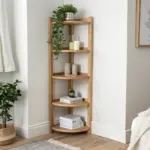
I once had an awkward corner that couldn’t fit a wide console cabinet, so I turned it into a corner tower just for consoles and games. It felt like I “found” extra square footage, and everything stayed within arm’s reach of the couch.
Explore these options:
- Tall Corner Display Cabinet: Utilize vertical space efficiently by placing this tall cabinet in tight corners for organized console storage.
- Cane/Rattan Webbing Film: Upgrade plain cabinet doors with this breathable material to match the boho-chic aesthetic shown here.
- Under-Shelf Cable Management Kit: Keep cords neatly hidden behind your new tower setup to maintain a clean, clutter-free appearance.
Cable Management Box Behind the Console

My living room looked 10x cleaner the moment I added a cable management box to hide power strips and extra cord length. I also route each console’s cable with a simple label, because future-me deserves that kindness.
These products might help:
- Decorative Faux Leather Storage Box: Conceal small gaming accessories or remotes in this stylish box to instantly declutter your entertainment center’s surface.
- Woven Cable Management Box: Hide unsightly power strips and tangled cords inside a textured organizer to maintain a clean, minimalist aesthetic.
- Cable Identifying Tags & Ties: Stop guessing which plug is which by labeling cords clearly and bundling excess length for a tidy setup.
Pegboard Wall for Controllers and Headsets

For my desk gaming corner, I hung a pegboard wall so controllers, headsets, and chargers stay visible but not scattered. I like that I can rearrange the hooks when my setup changes without buying new furniture.
Give these a look:
- Wooden Pegboard Panel: Create a versatile vertical storage space for your gaming gear by mounting this stylish wooden panel.
- Controller Hanger Hooks: Securely display your game controllers on your pegboard for easy access and a clutter-free desk setup.
- Pegboard Headphone Stand: Keep your gaming headset safe and off your desk by adding a dedicated hook to your organization wall.
Charging Drawer With Dividers

I’ve set up a “drop zone” drawer with simple dividers so controllers charge neatly and don’t migrate around the apartment. The trick that worked best for me was keeping charging cables short inside the drawer so there’s no knotty mess.
Products that could assist:
- Adjustable Drawer Dividers: Customize your existing drawers to hold controllers securely with these adjustable separators that prevent chaotic shifting.
- Short USB Charging Cables: Eliminate tangles inside your charging station by using shorter cables designed to fit compact spaces perfectly.
- Adhesive Cable Clips: Keep your charging cords anchored in place and easily accessible within the drawer using simple adhesive organizers.
Game Case Storage Like a Mini Library

When my physical games started taking over, I stored them spine-out like books on a narrow shelf for game storage that’s easy to browse. I also keep one small bin for “currently playing” titles, which stopped stacks from forming on every table.
Useful items to consider:
- Small Bookshelf: Organize your game collection spine-out on this shelf to create an easily browsable and tidy personal library.
- Woven Storage Basket: Use sturdy woven baskets on shelves or the floor to hide controllers, cables, or your designated “currently playing” titles.
- Aesthetic Book Ends: Keep your game cases upright and prevent them from tipping over with these minimal and stylish support accessories.
Slim Console Cabinet Behind the Sofa

In one studio, I used the dead space behind my sofa for a slim cabinet that held consoles and accessories without eating up my walking path. It’s honestly one of my favorite small-space moves because it hides a ton while looking totally normal.
A few suggestions:
- Mid-Century Modern Sideboard: Choose a stylish sideboard with closed doors to discreetly hide consoles and clutter while upgrading your decor.
- Slim Console Table with Storage: Maximize tight spaces with a narrow console table featuring drawers or shelves for organizing small gaming accessories.
- Woven Rattan Storage Cabinet: Add texture to your room with a rattan-detailed cabinet that offers breathable storage for your electronic devices.
Rolling Cart That Docks Under a Desk

For a hybrid desk setup, I keep consoles on a rolling cart so I can pull it out for easy access and tuck it away when I’m done. I learned this is also perfect for roommates—your whole console setup can “park” neatly in your zone.
A few things you might like:
- Slim 2-Tier Rolling Utility Cart: Choose a compact, mobile cart like this to easily wheel your gaming setup wherever you need it.
- Woven Storage Baskets: Use natural woven baskets on the bottom shelf to hide cords and accessories while adding warmth.
- Desktop Cable Management Clips: Keep charging cables for controllers organized and prevent tangles with these discreet, easy-to-attach adhesive clips.
Closet Shelf “Console Garage”

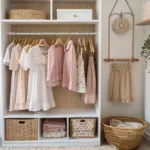
When I didn’t want consoles on display, I turned one closet shelf into a console garage with labeled bins for controllers and cords. I keep the bins shallow so I can actually see what’s inside without dumping everything out.
A few choices to try:
- Shallow Woven Storage Baskets: Organize controllers and small accessories with shallow bins that keep items accessible without digging through deep piles.
- Clip-On Basket Labels: Identify your storage bins instantly by adding these customizable labels to the front of your new baskets.
- Fabric Iron-On Labels: Create a seamless look like the photo by ironing simple fabric labels directly onto your woven storage containers.
Under-Bed Bin for Backup Consoles

For consoles I don’t use weekly, I store them in a lidded under-bed bin with a little moisture absorber, and it’s saved my sanity in small bedrooms. I always bag the cords separately and label them so I’m not playing “mystery cable” later.
Maybe worth checking out:
- Fabric Under-Bed Storage Container: Protect your backup consoles from dust and keep them organized with these stylish and breathable fabric storage bins.
- Drawstring Cable Organizer Bags: Prevent frustrating cord tangles by storing controllers and power cables individually in these simple, protective drawstring pouches.
- Moisture Absorber Packets/Desiccants: Help protect sensitive electronics from humidity damage during long-term storage by tossing one of these into the bin.
Pull-Out Shelf in a Narrow Nook

I once built a simple pull-out shelf in a skinny nook so consoles slide out for swapping discs and then disappear again. It felt like a hidden command center, and it kept little hands (and clumsy elbows) away from buttons and cords.
Check these products out:
- Heavy-Duty Drawer Slides: Create your own custom sliding shelf by installing these sturdy, smooth-gliding runners into your existing cabinet nook.
- Pre-assembled Sliding Cabinet Organizer: Simplify the project with a ready-made pull-out shelf that mounts directly to the bottom of your cabinet.
- Cord Management Kit: Keep the cables behind your moving shelf organized and flexible to prevent tangles when sliding equipment out.
File Cabinet for Consoles and Accessories

This one surprised even me: a small file cabinet can hold consoles on the deeper drawers and keep controllers sorted in organizers up top. I lined the drawers with soft shelf liner, and it instantly looked clean, secure, and oddly stylish.
Items that may come in handy:
- Small Vertical File Cabinet: Organize your gaming setup by tucking consoles and controllers neatly away in this versatile, compact storage solution.
- Drawer Organizer Trays: Keep your controllers, cables, and small accessories perfectly sorted and easy to find inside the top drawer.
- Non-Slip Shelf Liner: Protect your expensive gaming gear from scratches and sliding by lining the drawers with this soft material.
Art Panel That Hides a Console Shelf

My biggest “wow” setup was mounting a shallow console shelf on the wall and covering it with a sliding art panel so the gear disappears when guests come over. It gave me the best of both worlds—display-level access for gaming, and a calm room vibe the rest of the time.
Some handy options:
- Wall-Mounted Sliding Painting Hardware Kit: Create a seamless hiding spot for your electronics by installing this sliding track mechanism behind your favorite artwork.
- Large Framed Canvas Wall Art: Choose a lightweight, large-scale framed canvas to act as the perfect decorative cover for your wall-mounted gear.
- Floating Wall Shelf for Electronics: Mount your console securely on the wall with a shallow floating shelf designed to fit behind sliding panels.